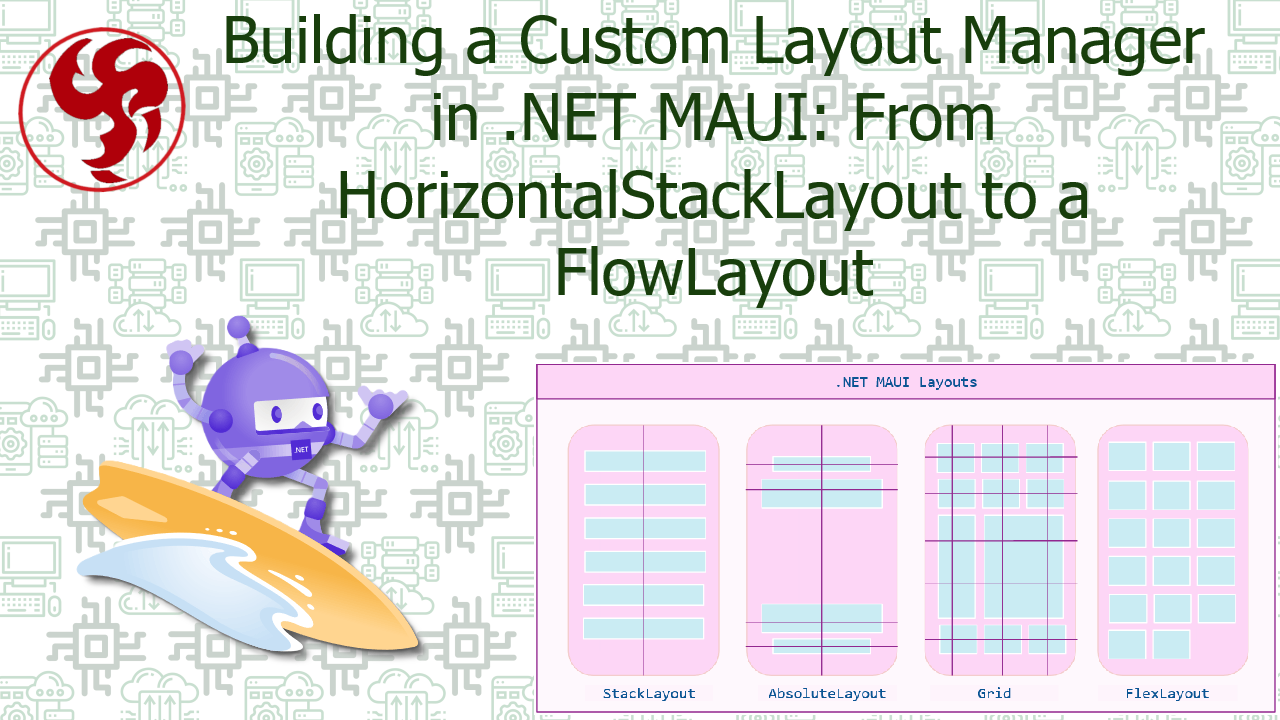
Building a Custom Layout Manager in .NET MAUI: From HorizontalStackLayout to a FlowLayout
🧱 Building a Custom Layout Manager in .NET MAUI
From HorizontalStackLayout to a FlowLayout
Understanding layout internals in MAUI unlocks performance, flexibility, and advanced UI design patterns.
🧠 Why Build a Custom Layout?
.NET MAUI ships with powerful layouts:
VerticalStackLayoutHorizontalStackLayoutGridFlexLayoutAbsoluteLayout
But sometimes you need:
- Wrapping behavior like CSS flex-wrap
- Tag clouds
- Dynamic chip layouts
- Pinterest-like flow
- Responsive content rows
That’s where a FlowLayout comes in. A layout that:
- Arranges children horizontally
- Wraps to next row when width is exceeded
- Dynamically measures height
- Maintains spacing consistency
🔎 How Layout Works Internally in MAUI
Every layout in MAUI relies on a LayoutManager. Core pipeline:
- Measure phase
- Arrange phase
The layout manager implements:
ILayoutManager
Which requires:
Size Measure(double widthConstraint, double heightConstraint);
Size ArrangeChildren(Rect bounds);
This is where real power lives.
Step 1 — Creating the Custom Layout
We inherit from Layout and override CreateLayoutManager.
public class FlowLayout : Layout
{
    protected override ILayoutManager CreateLayoutManager()
        => new FlowLayoutManager(this);
}
That’s it. The real work goes into FlowLayoutManager.
Step 2 — Implementing the Layout Manager
public class FlowLayoutManager : ILayoutManager
{
    private readonly Layout _layout;

    public FlowLayoutManager(Layout layout)
    {
        _layout = layout;
    }
🧮 Measure Phase
Measure determines the desired size. Core responsibilities:
- Respect width constraint
- Measure each child
- Track row width
- Wrap when necessary
- Calculate total height
public Size Measure(double widthConstraint, double heightConstraint)
{
    double x = 0;
    double y = 0;
    double rowHeight = 0;
    double maxWidth = widthConstraint;

    foreach (var child in _layout.Children)
    {
        if (!child.IsVisible)
            continue;

        var size = child.Measure(widthConstraint, heightConstraint);

        if (x + size.Width > maxWidth)
        {
            x = 0;
            y += rowHeight;
            rowHeight = 0;
        }

        x += size.Width;
        rowHeight = Math.Max(rowHeight, size.Height);
    }

    y += rowHeight;

    return new Size(widthConstraint, y);
}
📐 Arrange Phase
Arrange positions elements.
public Size ArrangeChildren(Rect bounds)
{
    double x = bounds.X;
    double y = bounds.Y;
    double rowHeight = 0;

    foreach (var child in _layout.Children)
    {
        if (!child.IsVisible)
            continue;

        var size = child.DesiredSize;

        if (x + size.Width > bounds.Width)
        {
            x = bounds.X;
            y += rowHeight;
            rowHeight = 0;
        }

        child.Arrange(new Rect(x, y, size.Width, size.Height));

        x += size.Width;
        rowHeight = Math.Max(rowHeight, size.Height);
    }

    return bounds.Size;
}
✨ Enhancing with Spacing
Real layouts need spacing. Add properties:
public double HorizontalSpacing { get; set; } = 8;
public double VerticalSpacing { get; set; } = 8;
Then adjust logic:
x += size.Width + HorizontalSpacing;
y += rowHeight + VerticalSpacing;
⚡ Performance Considerations
Custom layouts run on every measure pass. Avoid:
- LINQ inside loops
- Allocating lists unnecessarily
- Heavy calculations
- Measuring children multiple times
Remember:
Layout runs frequently during resizing, orientation change, and dynamic content updates.
🆚 Why Not Use FlexLayout?
FlexLayout already supports wrapping:
<FlexLayout Wrap="Wrap" />
So why custom? Because:
| Scenario | Custom Layout Advantage |
|---|---|
| Fine-tuned measurement | Full control |
| Performance optimization | Skip flex overhead |
| Deterministic row logic | Exact behavior |
| Learning MAUI internals | Massive gain |
| Custom virtualization | Possible |
🚀 Real-World Use Cases
- Dynamic tags
- Category chips
- Adaptive filter controls
- Word clouds
- Messaging bubbles
- Product badges
- Responsive dashboards
🧩 Advanced Extensions
You can extend this layout with:
- Alignment per row
- Justify content (start/center/end/space-between)
- Max items per row
- Virtualization
- Animations on reflow
- Orientation switching
🏁 Final Thoughts
Understanding ILayoutManager changes how you design UI in MAUI. It gives you:
- Deterministic layout control
- Performance mastery
- Platform-agnostic behavior
- Architectural clarity
Most developers use layouts. Few understand how they actually work. When you build one from scratch: You stop fighting the layout system —
and start owning it.
Was this useful?
Sign in to react. Guest comments are still welcome.
Related Posts


Comments (0)
No approved comments yet.