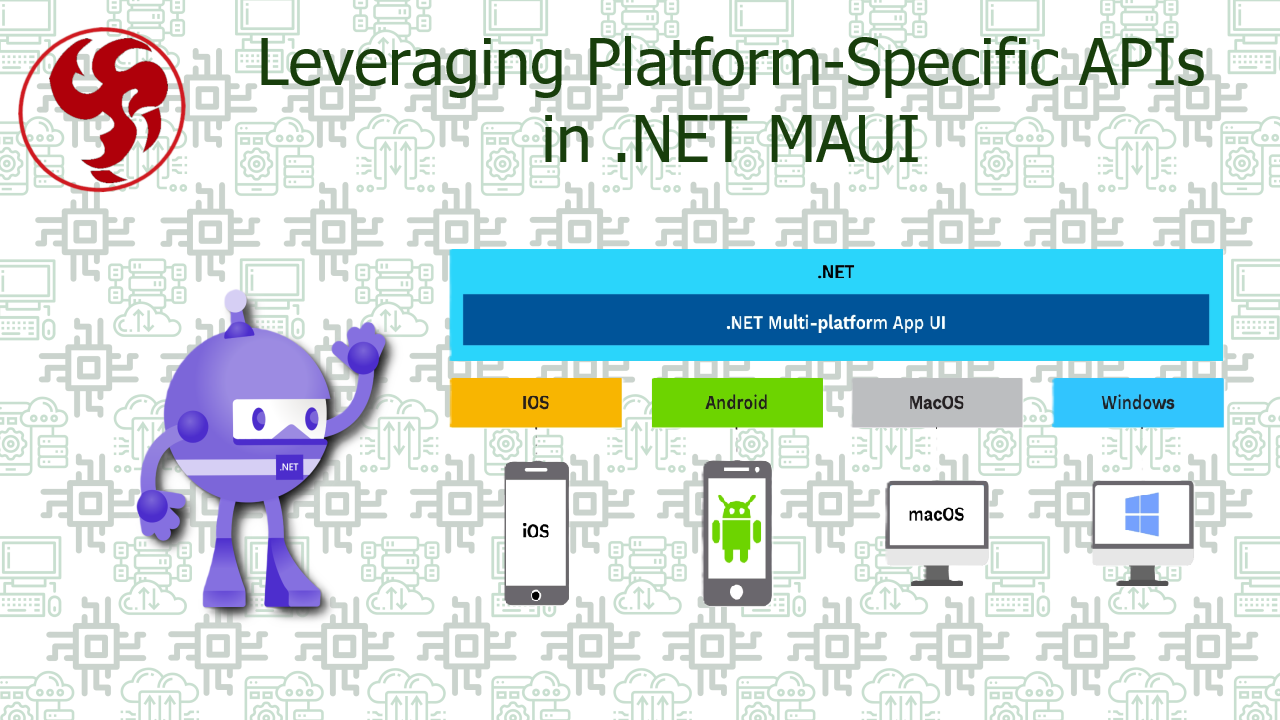
Leveraging Platform-Specific APIs in .NET MAUI
🚀 Leveraging Platform-Specific APIs in .NET MAUI
A Deep Dive into Partials and Conditional Compilation
When building cross-platform applications with .NET MAUI, you quickly realize that “write once, run anywhere” is more of a guiding principle than an absolute rule. Real-world apps often require:
- Native integrations (biometrics, sensors, secure storage 🔐)
- Platform-specific UI tweaks 🎨
- OS-level optimizations ⚡ The question is not if you will need platform-specific code—but how to implement it cleanly without turning your codebase into a mess. This is where two powerful techniques come into play:
- 🧩 Partial Classes & Partial Methods
- ⚙️ Conditional Compilation (
#if) Let’s break them down deeply, compare them, and establish best practices you can confidently apply in production-grade MAUI apps.
🧠 Why Platform-Specific Code Matters
Even though .NET MAUI abstracts most functionality, some APIs are inherently platform-bound:
| Feature | Android | iOS | Windows |
|---|---|---|---|
| Biometric Auth | ✅ | ✅ | ⚠️ Different APIs |
| File System Access | Scoped Storage | Sandbox | Full FS |
| Notifications | Firebase | APNs | Windows Push |
| Hardware Sensors | Rich APIs | Limited | Varies |
👉 Trying to force everything into shared code often leads to:
- ❌ Hacks
- ❌ Poor performance
- ❌ Unmaintainable abstractions
🧩 Approach #1: Partial Classes & Partial Methods
🔍 Concept
Partial classes allow you to split a class across multiple files—typically:
- One shared file (cross-platform logic)
- Multiple platform-specific implementations
🏗️ Example Structure
Services/
 ├── DeviceService.shared.cs
 ├── DeviceService.android.cs
 ├── DeviceService.ios.cs
 └── DeviceService.windows.cs
🧪 Shared Code
public partial class DeviceService
{
    public partial string GetDeviceName();
}
🤖 Android Implementation
public partial class DeviceService
{
    public partial string GetDeviceName()
    {
        return Android.OS.Build.Model;
    }
}
🍏 iOS Implementation
public partial class DeviceService
{
    public partial string GetDeviceName()
    {
        return UIKit.UIDevice.CurrentDevice.Name;
    }
}
🪟 Windows Implementation
public partial class DeviceService
{
    public partial string GetDeviceName()
    {
        return Windows.System.Profile.AnalyticsInfo.VersionInfo.DeviceFamily;
    }
}
✅ Advantages
- Clean separation of concerns 🧼
- Strongly typed and compile-safe 💪
- Easy to scale for large apps 📈
- Ideal for dependency injection scenarios
❌ Drawbacks
- Requires multiple files 📂
- Slightly more setup overhead
- Can be harder to trace implementations
⚙️ Approach #2: Conditional Compilation (#if)
🔍 Concept
Conditional compilation allows you to include/exclude code at compile time depending on the platform.
🧪 Example
public string GetDeviceName()
{
#if ANDROID
    return Android.OS.Build.Model;
#elif IOS
    return UIKit.UIDevice.CurrentDevice.Name;
#elif WINDOWS
    return Windows.System.Profile.AnalyticsInfo.VersionInfo.DeviceFamily;
#else
    return "Unknown";
#endif
}
✅ Advantages
- Simple and quick to implement ⚡
- Everything in one place 📍
- Great for small differences
❌ Drawbacks
- Can become messy fast 🧨
- Harder to maintain in large codebases
- Violates separation of concerns
⚖️ Partials vs Conditional Compilation
📊 Comparative Table
| Criteria | Partial Classes 🧩 | #if Compilation ⚙️ |
|---|---|---|
| Maintainability | ⭐⭐⭐⭐⭐ | ⭐⭐ |
| Scalability | ⭐⭐⭐⭐⭐ | ⭐⭐ |
| Readability | ⭐⭐⭐⭐ | ⭐⭐ |
| Setup Complexity | ⭐⭐⭐ | ⭐ |
| Best for Large Projects | ✅ | ❌ |
| Best for Quick Fixes | ❌ | ✅ |
🧠 When Should You Use Each?
🧩 Use Partials When:
- You’re building production-grade apps
- Logic differs significantly per platform
- You want clean architecture (MVVM, Clean Architecture)
- You plan to scale the project 👉 Example use cases:
- Biometric authentication
- Native SDK integrations
- Secure storage implementations
⚙️ Use #if When:
- You need a small tweak
- Logic differences are minimal
- You want a quick solution 👉 Example use cases:
- Minor UI adjustments
- Debug logging
- Small platform checks
🏗️ Hybrid Approach (Best Practice)
In real-world apps, the best solution is often a combination of both:
✅ Pattern
- Use partials for services and core logic
- Use
#iffor minor inline differences
🧪 Example Hybrid
public partial class BatteryService
{
    public partial int GetBatteryLevel();

    public bool IsLowBattery()
    {
        var level = GetBatteryLevel();

#if DEBUG
        Console.WriteLine($"Battery Level: {level}");
#endif

        return level < 20;
    }
}
🧱 Architecture Tip (PRO Level) 🧠
Combine partials with dependency injection:
builder.Services.AddSingleton<IDeviceService, DeviceService>();
This gives you:
- Testability 🧪
- Flexibility 🔄
- Clean boundaries 🧱
🔗 Official References
For deeper understanding, check:
- https://learn.microsoft.com/dotnet/maui/platform-integration/
- https://learn.microsoft.com/dotnet/csharp/language-reference/preprocessor-directives
🚀 Key Takeaways
- Platform-specific code is inevitable in MAUI
- Partials = clean, scalable, maintainable 🧩
#if= quick, simple, but risky at scale ⚙️- The hybrid approach is often the best solution
🧩 Final Thoughts
Mastering platform-specific APIs in .NET MAUI is what separates a functional app from a production-ready app. If you rely too much on conditional compilation, your codebase will eventually become fragile. On the other hand, leveraging partial classes strategically allows you to build clean, extensible, and enterprise-grade applications. 👉 Think of it this way:
#ifis a tool- Partials are an architecture Use them accordingly, and your MAUI apps will scale without pain. ⚡
Was this useful?
Sign in to react. Guest comments are still welcome.
Related Posts



Comments (0)
No approved comments yet.