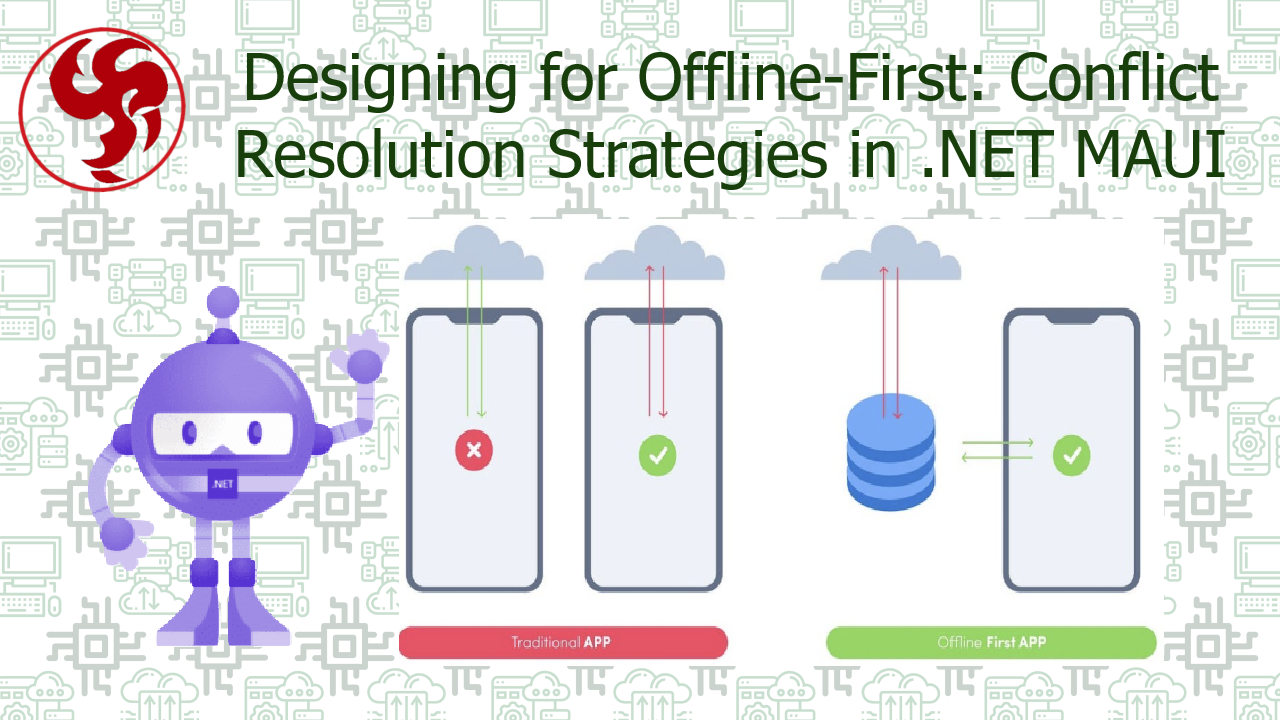
Designing for Offline-First: Conflict Resolution Strategies in .NET MAUI
Designing for Offline-First: Conflict Resolution Strategies in .NET MAUI 📴⚙️
Offline-first is no longer a niche requirement—it is a fundamental design principle for modern applications. Users expect apps to work seamlessly regardless of connectivity, especially on mobile devices where network conditions are unpredictable.
In this article, we’ll explore offline-first architecture in .NET MAUI, with a deep focus on one of its hardest problems: data conflict resolution. We’ll go beyond theory and cover real-world strategies, trade-offs, and implementation patterns you can apply today.
📌 What Does Offline-First Really Mean?
An offline-first application is designed under the assumption that:
The network is unavailable by default.
Connectivity becomes an optimization, not a dependency.
Core characteristics:
- 📦 Local-first persistence
- 🔁 Background synchronization
- 🧠 Deterministic conflict handling
- 🚫 No blocking UI on network calls
🚨 Why Conflict Resolution Is Hard
Once your app allows users to:
- Modify data locally
- Sync changes asynchronously
- Work across multiple devices
You will face conflicts.
Common conflict scenarios:
| Scenario | Example |
|---|---|
| Concurrent edits | Same record updated on two devices |
| Partial sync | App crashes mid-sync |
| Clock drift | Device timestamps differ |
| Schema evolution | App versions out of sync |
Without a strategy, conflicts lead to:
- ❌ Data loss
- ❌ User frustration
- ❌ Hard-to-debug bugs
🏗️ Offline-First Architecture in .NET MAUI
A robust MAUI offline-first architecture typically looks like this:
UI
↓
Local Repository (SQLite)
↓
Change Tracker / Outbox
↓
Sync Engine
↓
Remote API
Key components:
- SQLite via
Microsoft.Data.Sqlite - Local change tracking
- Explicit sync boundaries
- Conflict resolution layer
🔄 Types of Conflicts
Before choosing a strategy, classify your conflicts.
1️⃣ Write–Write Conflicts
Two sources modify the same entity independently.
2️⃣ Write–Delete Conflicts
One device deletes data while another updates it.
3️⃣ Schema Conflicts
Different app versions interpret data differently.
🧠 Conflict Resolution Strategies
Let’s examine the most common strategies, their pros, cons, and when to use them.
🥇 1. Last-Write-Wins (LWW)
The simplest approach.
✅ Pros Easy to implement
Minimal metadata
Works well for read-heavy data
❌ Cons Silent data loss
Relies on accurate clocks
Poor UX for collaborative data
Best for: Logs
Cache-like data
User preferences
🧩 2. Field-Level Merging Instead of replacing the whole object, merge individual fields.
✅ Pros
- Reduces data loss
- More intelligent merging
❌ Cons
- Complex logic
- Domain-specific rules required
Best for:
- Forms
- Profiles
- Documents with independent fields
👤 3. User-Driven Conflict Resolution
Conflicts are surfaced to the user explicitly.
| Option | Description |
|---|---|
| Keep local | Override server |
| Keep remote | Discard local |
| Manual merge | User edits |
Manual merge User edits
✅ Pros
- Maximum correctness
- No silent overwrites
❌ Cons
- Interrupts user flow
- Requires good UX design
Best for:
- Critical data
- Financial records
- Collaborative tools
🧾 4. Versioning & Optimistic Concurrency
Each entity carries a version or ETag.
PUT /items/42
If-Match: "v3"
If the version doesn’t match:
- Server rejects the update
- Client resolves conflict
✅ Pros
- Strong consistency
- Explicit conflict detection
❌ Cons
- Requires server support
- More complex API contracts
Best for:
- APIs you control
- Enterprise systems
🧮 5. Operational Transforms / CRDTs (Advanced)
Instead of syncing state, sync operations. Examples:
- Insert character
- Delete line
- Increment counter
✅ Pros
- No conflicts by design
- Excellent for collaboration
❌ Cons
- Very complex
- Hard to retrofit
Best for:
- Real-time editors
- Collaborative apps
📦 Implementing Offline Sync in .NET MAUI
Recommended Local Model
Change Tracking (Outbox Pattern)
Benefits:
- Reliable retries
- Crash-safe sync
- Deterministic ordering
🔁 Sync Flow Example
- Upload local changes
- Resolve server conflicts
- Apply remote updates
- Clear outbox
- Update UI
⚠️ Never sync automatically on app start—wait for UI readiness.
🧪 Testing Conflict Scenarios
You must test conflicts explicitly.
Recommended tests:
- 📴 Airplane mode edits
- 🔁 Concurrent device edits
- ⏱️ Clock skew simulation
- 💥 App crash during sync
🧠 UX Matters More Than Algorithms
Even the best algorithm fails with poor UX.
Best practices:
- Show sync status 🔄
- Allow retries 🔁
- Never block UI 🚫
- Explain conflicts clearly 🧾
📊 Strategy Comparison Table
| Strategy | Complexity | Data Safety | UX Impact | Recommended |
|---|---|---|---|---|
| Last-write-wins | Low | ❌ Low | ✅ Minimal | ⚠️ Limited |
| Field merge | Medium | ⚠️ Medium | ✅ Good | ✅ Yes |
| User-driven | Medium | ✅ High | ❌ High | ✅ Critical |
| Versioning | Medium | ✅ High | ✅ Good | ✅ Strong |
| CRDT | High | ✅ Very High | ✅ Excellent | 🚀 Advanced |
🔮 Final Thoughts
Offline-first is not a feature, it’s an architectural mindset. Conflict resolution is where:
- Data integrity
- UX
- Engineering discipline
…all collide. In .NET MAUI, you have all the tools needed—but you must be intentional. Choose the simplest strategy that protects user data, evolve as needed, and test relentlessly.
Offline-first done right feels invisible. Done wrong, it feels broken.
🔗 References & Further Reading
- https://learn.microsoft.com/dotnet/maui
- https://martinfowler.com/articles/offline.html
- https://learn.microsoft.com/azure/architecture/patterns/outbox
- https://www.sqlite.org
- https://developer.apple.com/videos/play/wwdc2015/231/
Happy coding, and may your syncs always converge. 🚀
Was this useful?
Sign in to react. Guest comments are still welcome.
Related Posts

Comments (0)
No approved comments yet.